 Sound Sticker
Stick sound anywhere.
Sound Sticker
Turn a melody into a printable sticker that plays the moment it is scanned. The music lives inside the code — no servers, no streaming links, nothing to set up.
Free, with one $4.99 unlock iPhone Rated 4+ Ages 4 to 104 No accounts No tracking No servers No ads Free to scan forever
What it is
Not an address. The actual song.
Every QR code you have ever scanned is a web link waiting to rot, break, or start quietly watching you. This one is not an address. It is the thing itself.
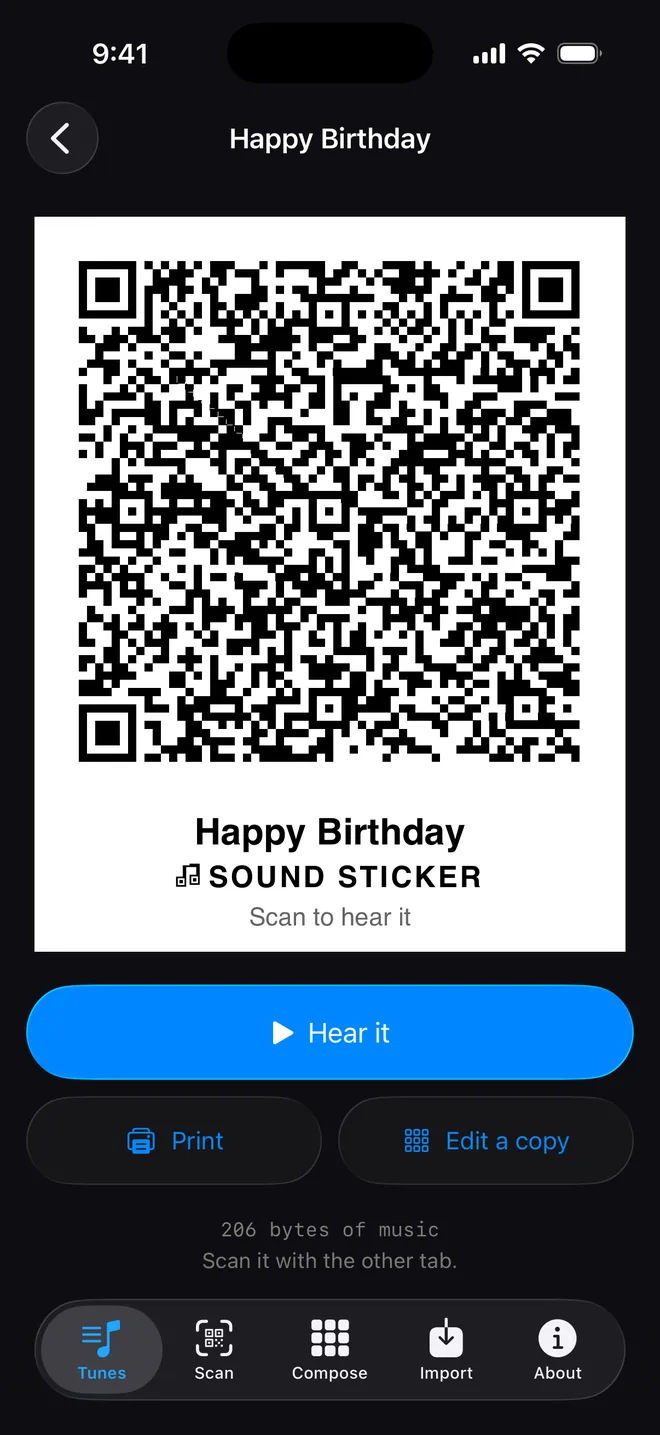
An entire composition — waveforms, envelopes, sequences and drums — is packed straight into a grid of black and white squares. When somebody scans it, their phone builds the music in real time out of the pattern. No browser. No cloud connection to go down. Nothing to expire.
Which is why a sticker you print today still plays in five years, on a version of the app that ships a different set of songs. The music is not a reference to a library. It is the payload.
Three steps · instant output
Child’s play to build. Impossible to ignore.
01 / Compose or choose
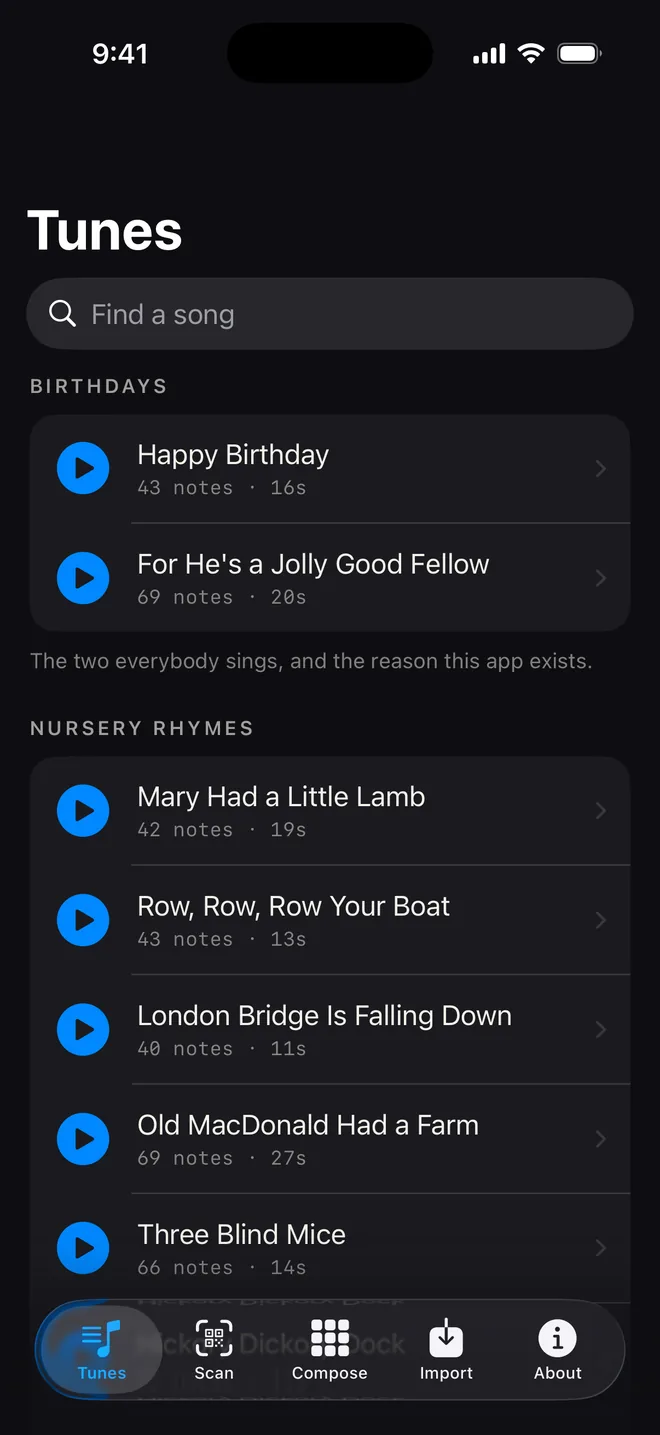
Pick from 127 songs everybody knows, or tap your own out on a foolproof note grid. The notes on offer are tuned so nothing clashes — anyone can write an earworm in about thirty seconds.
02 / Encode it
The whole song compresses straight into the geometry — not a link to it, the song itself. A few hundred bytes of music, and no upload.
03 / Print, peel, drop
Hit print on ordinary peel-and-stick label sheets. Hand them out, or put them on postcards, notebooks, mailers and merch tags.
Make your own
Composing, without a single thing to read.
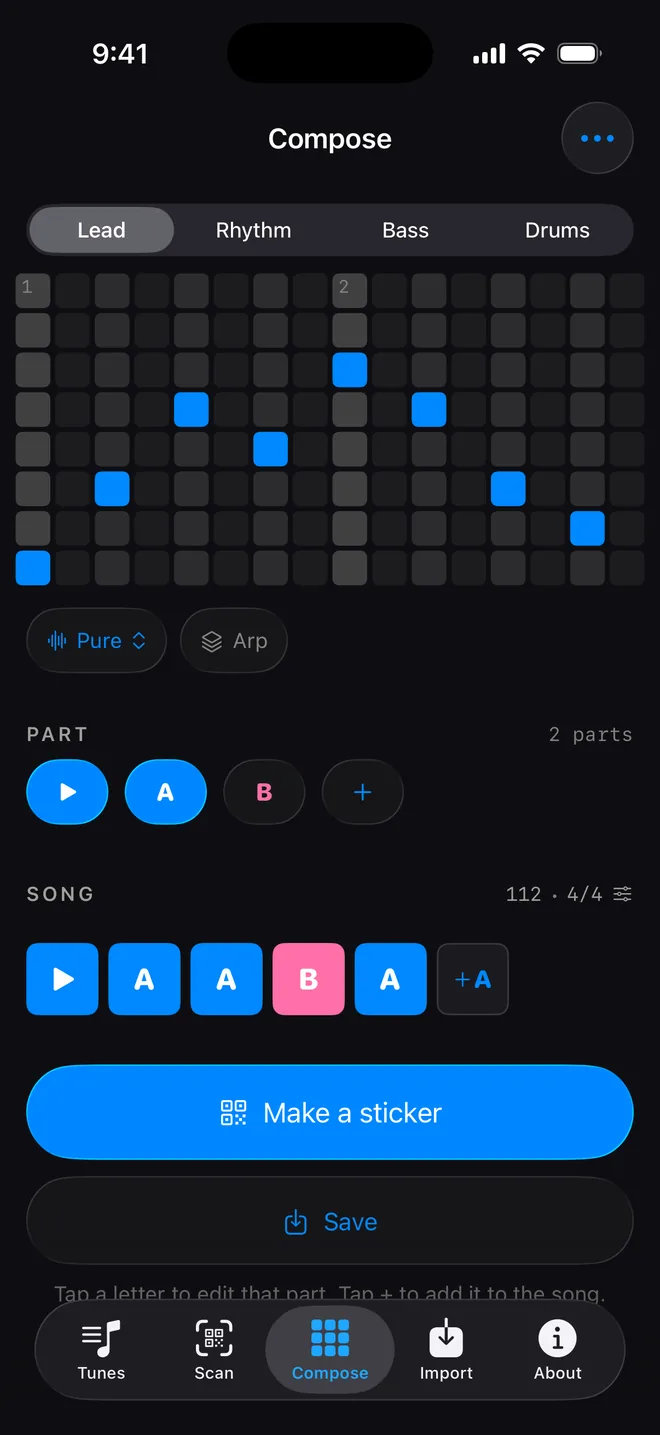
Tap squares on a grid. Time runs left to right and pitch runs bottom to top, and the notes on offer are chosen so that everything sounds right against everything else — which is the trick that lets somebody who reads no music make something they are pleased with in about thirty seconds.
Or start from a song you know
Open one of the bundled tunes on the grid and it arrives as squares you can move. Change a note, add a drum, make it yours. Nothing is snapped to a scale it did not come from, so a tune still sounds like itself after you have poked at it.
Or bring your own
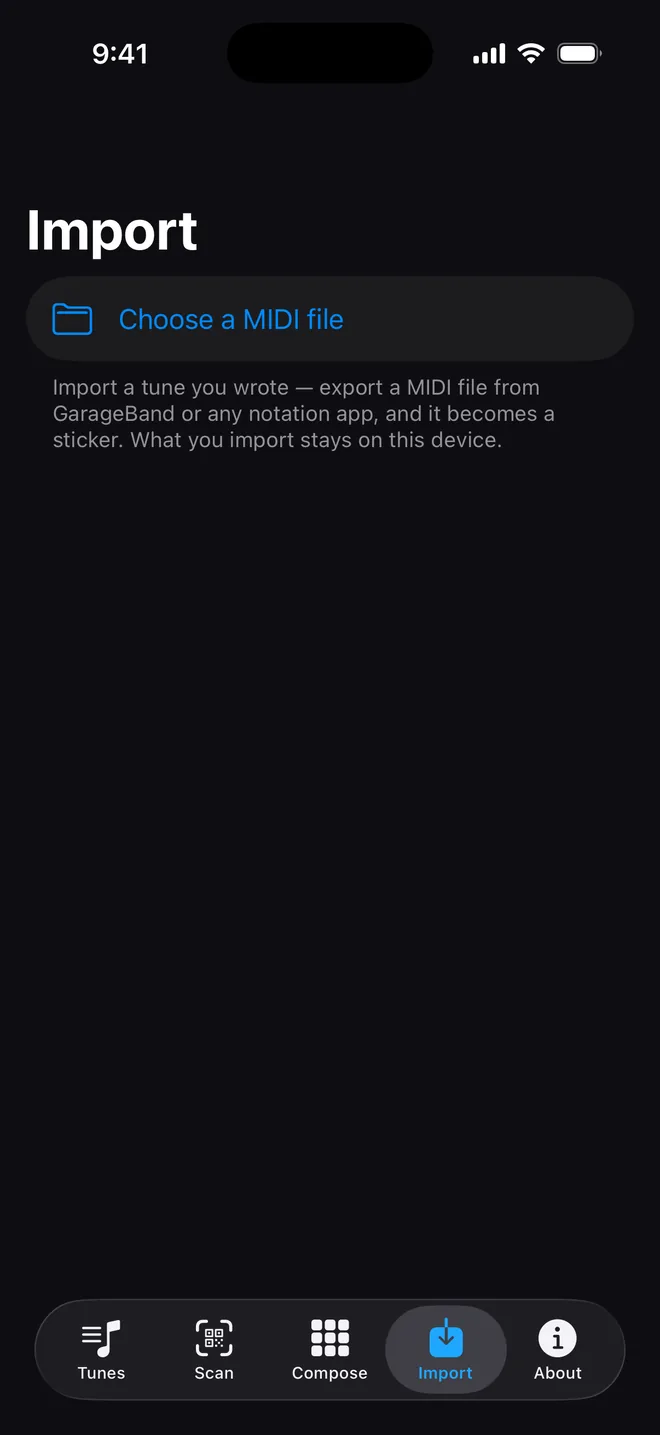
Export a MIDI file from GarageBand or any notation app and import it. The app tells you what will fit on a sticker and what it would cost in seconds — the whole thing, just the melody, or as much of the opening as there is room for. A long song can be split across several stickers and scanned back in any order.
What you import stays on your device. It goes to a code and to your printer, and nowhere else.
Instant play. Studio-grade depth.
Tap squares to sketch a tune in thirty seconds — or wire it into your rig. There is no “pro mode” and no subscription anywhere in the app. The power lives right on the surface, and is found by messing about.
- Full step sequencer. Scale from sixteen to sixty-four steps across three pitched lanes — lead, rhythm and bass — plus a dedicated five-piece drum machine, your own tempo and time signature. Chain up to eight parts into a full-length track.
- Hardware out via MIDI. Plug straight into external gear: the grid clocks and triggers your synthesisers with a 24-pulse clock, or broadcasts internally to other apps on the same phone with nothing plugged in at all.
- DAW import and export. Drop in multi-track MIDI arrangements from GarageBand or the DAW of your choice, and export what you compose back out as a Standard MIDI File.
- Smart compression. A pattern repeat costs just four bits, so the tighter the groove the smaller its footprint on the sticker — a long song is cheaper here than a short one that never repeats.
Under the hood
No samples. Zero bloat. 100% live synthesis.
Samples need downloading. Sound Sticker generates every note live from raw code — waveforms, filters and envelopes firing in microseconds.
A waveform, an envelope and a filter is about four bytes of description, which is why the sound travels inside the sticker with the music. Whoever you hand it to hears the voice you chose, on their copy of the app, whether or not they have ever opened it before. A sampled instrument could not do that without being owned first, and charging somebody to hear a sticker they were given is not a thing this app will ever do.
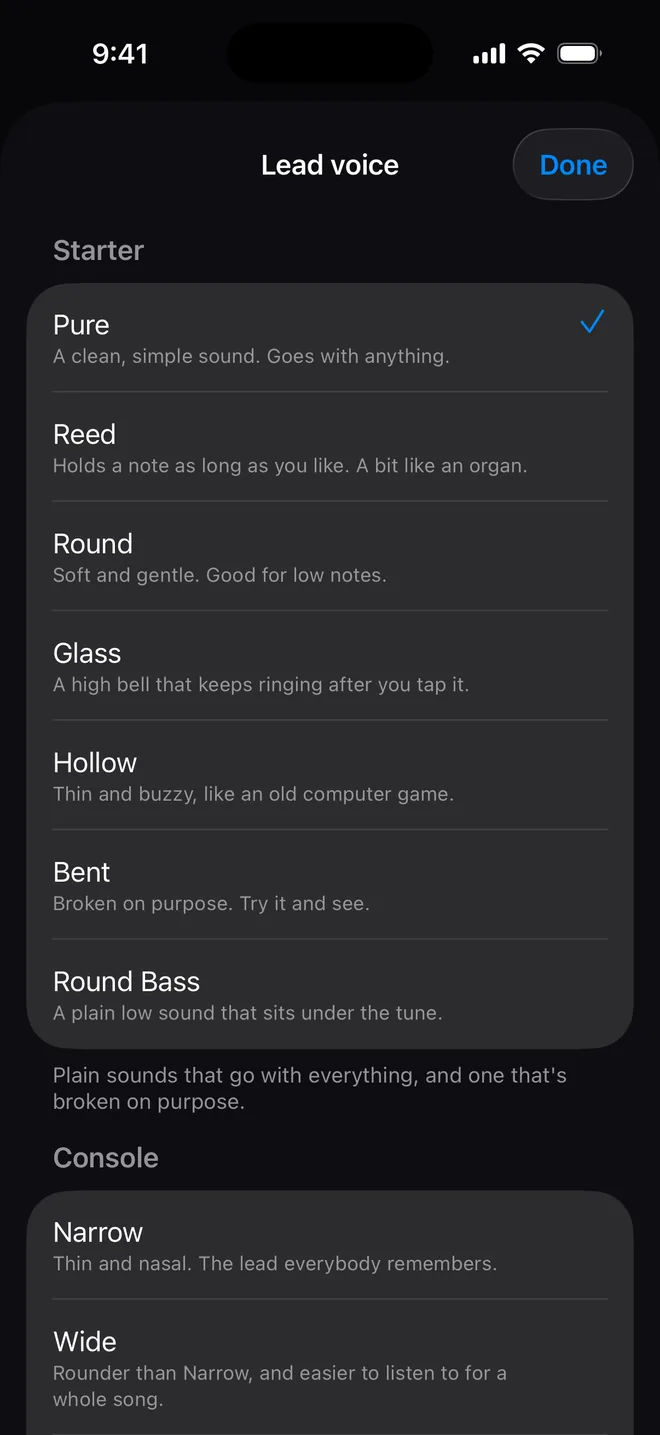
13 sound sets. Zero paywalls.
- Starter
- Clean, timeless, versatile — and Bent, a square wave pulled twenty-five cents out of tune and run hot into a resonant filter. Deliberately broken, and in the free set on purpose: it is how somebody finds out the toy has teeth.
- Motor
- Pure industrial attitude. A short resonant stab, a sub you feel more than hear, and Rust, pushed right to the edge of whistling.
- Arcade & Console
- Authentic chip logic. Crisp leads, diving lasers, raw 8-bit grit ripped straight from a cabinet — and beside it the instrument voices of the old machines: a thin nasal lead, a rounder one, and a bass that never fades because on the hardware it could not.
- Metal
- Tuned dissonance. Clangs, tinny strikes and robotic bite — the one timbre the other seven waveforms cannot reach, since they are all harmonic and plain noise has no pitch at all.
- Ragtime & Organ
- Honky-tonk uprights two strings out of true, a bright plucked banjo over the top, and floor-rattling pipe and pedal organ underneath. Joplin plays in this.
- Night & Swell
- Slow-attack ambient pads, lush detuned saws and warm drones. Nothing in it has a sharp edge, which is what the bedtime songs arrive in.
- Christmas & Spooky
- Long-tail holiday chimes and a shaken handful of sleigh bells on one side; hollow, detuned and slow to arrive on the other, including a resonant saw that is recognisably a door opening.
- Nursery & Pluck
- Mechanical music boxes, a struck wooden block and a toy horn slightly out of tune — then a bright pick, a ringing harp and a plucked bass, all short and gone.
Two of these reach for a character the format cannot quite hold yet: the acid stab wants a filter that moves with the note and there is no room for one in four bytes. What ships gets some of the way with a fixed filter, and it is worth saying so rather than letting somebody find out.
Zero guesswork. Millimetre precision.
Built to turn a digital experiment into a physical object without wasting a sheet of stock.
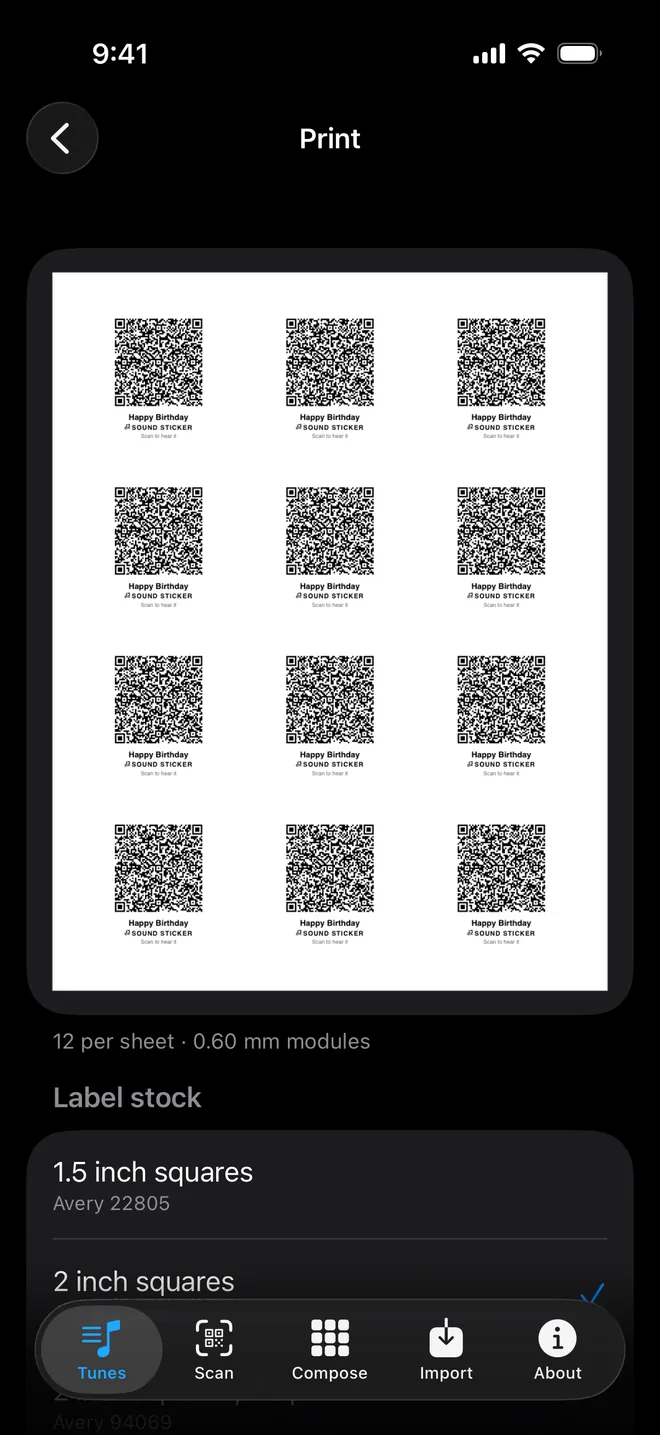
Sheets of stickers on ordinary label paper, laid out from the manufacturers' own published templates. There is an alignment page to check your printer before you spend a sheet, cut guides if you would rather use plain paper, and a per-sticker caption so a sheet of twelve is not twelve identical mysteries.
- Factory-calibrated stock. Built-in templates aligned to thirteen standard label formats, Avery among them, each measured against the manufacturer’s own published spec rather than eyeballed.
- Pre-flight density check. If a track carries too much data for a small label, the app flags it and names the size that will work before you hit print — and there is an alignment sheet to test your printer on plain paper first.
- Cut guides and captions. Every sticker prints with its own caption, so a sheet of twelve never becomes twelve unlabelled mysteries, plus cut guides if you would rather use plain paper than labels.
Screens
What it looks like.
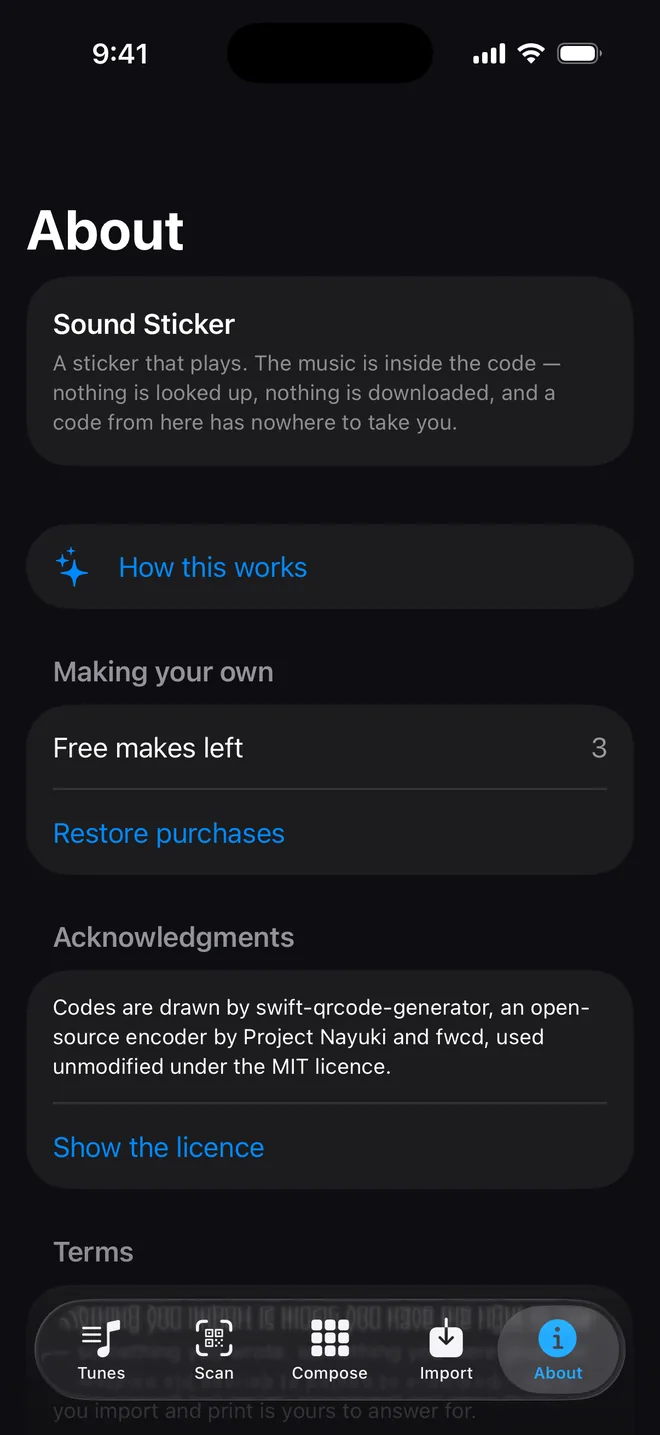
Every one of these is the app itself, captured on a phone.
Who it is for
A toy on the way in. A real instrument if you keep going.
A four-year-old can use this. Tap a grid, print a square, hand it to a friend. The constraints are engineered so that nothing ever clashes — you cannot write a wrong note, which is why anybody makes something they are pleased with in about thirty seconds. Nobody is asked a question that needs music theory to answer. There is no scale to pick and nothing to spell.
Underneath that friendly surface sits a legitimate three-lane step sequencer with drum channels, time signatures, an arrangement you can chain, 13 sets of synthesiser voices and MIDI routing out to a cable. None of it is behind a “pro mode”, because the moment you gate the depth, the toy dies — there would be two apps, and the friendly one would be a demo.
Think of the genealogy. A Speak & Spell birthed circuit bending; a Casio SK-1 became a cult sampler. Nobody is intimidated by a grid of coloured squares that prints stickers, which means they actually open it — and everybody is intimidated by a digital audio workstation. The person who comes for the nursery rhymes never notices the floor. The person who goes looking finds a real synth engine waiting on the very same screen.
What a grown-up should know
It is rated 4+, and the reasons are structural rather than promised:
- No network, at all. Not “we do not collect much” — there is no networking code in the app to collect anything with.
- Nothing is asked for. No name, no birthday, no email, no location, no account.
- Nothing can be bought by accident. The one purchase in the app sits behind a two-digit multiplication, drawn fresh every time.
- Nothing can be sent. There is no inbox and no transfer between copies of the app. A sticker is paper, handed over by a person.
- Nothing takes anyone anywhere. A code from this app holds music. It cannot carry a link, so it cannot lead a child to a website.
It is also, quietly, a music lesson: a pattern that repeats, a bar line, a part underneath the tune, and what happens when you move one note.
It is deliberately not listed in the Kids Category. That shelf bans links out of an app entirely, and it would file an app containing Gershwin, Gilbert & Sullivan, ragtime, sea shanties and Neapolitan song somewhere that describes about a third of what is in it.
Pricing
Transparent engineering. No subscription traps.
All 127 songs, every label stock, every set of sounds, scanning, playing and printing: free, with no account and nothing to own. Every song in the app is public domain, and charging for music that belongs to everybody was never a good idea.
- Free to play, free to scan. Scanning is free for anyone, anywhere, forever — no account, nothing to own, and no ownership check at scan time. Whoever you hand a sticker to needs the free app to hear it, because the code carries the music itself rather than a web address.
- Three free makes. Build and print your first three of your own, in full, before deciding whether any of this is for you.
- One single unlock. $4.99 once, for unlimited making. No recurring fee, no hidden consumables, no telemetry watching how you work — there is no networking code to carry any.
One payment, no subscription, no ads. The three free tries come first because nobody knows whether composing is for them until they have tried it.
Get it
Give paper a soundtrack.
Print your first tune in minutes. Every song in the app is free, and so is every sound, every label stock, and scanning one somebody hands you.
Privacy
Privacy Policy
Last updated September 29, 2026
Sound Sticker collects nothing. The app is made and published by HoneyWired LLC in Chicago, and this is its policy in full. There is no account, no sign-in, no analytics, no crash reporting and no advertising. There is also no networking code in the app at all, which is the part worth saying plainly: this is not a policy about what we choose not to do with your data, it is a statement about what the app is unable to do.
What leaves your device
Nothing. Not the tunes you pick, not the music you import, not the songs you compose, not the stickers you print. None of it is uploaded, and there is nowhere for it to go.
Children
The app is built for children and collects nothing from anybody, of any age. It asks for no name, no birthday, no email address and no location. Nothing is sent to third parties because nothing is sent anywhere.
Anything that costs money sits behind a question a child cannot answer, so a child cannot buy something without a grown-up.
The camera
Scanning a sticker uses the camera. The picture is examined on the device to find the code in it and is never stored, never uploaded and never seen by anyone. The camera runs only while the scanning screen is in front of you.
Purchases
Packs and the Make unlock are ordinary Apple In-App Purchases. Apple handles the payment; we never see a card number, a name or an address. The app asks Apple what this Apple Account owns and nothing more.
What is written to disk
Songs you compose or import are saved on your device so they are still there next time. They stay on the device. Deleting the app removes them.
Changes
If this policy ever changes the date at the top changes with it. Given that the app has no way to collect anything, we do not expect it to.
Who to ask
Questions go to support@honeywired.com.
Terms
Terms & EULA
Last updated September 29, 2026
1. Licence
Sound Sticker is licensed, not sold, under Apple's standard Licensed Application End User Licence Agreement, for use across the devices connected to your Apple Account. Everything paid for here is a one-time purchase: no recurring charge, no subscription, no advertising.
That agreement is the licence. What follows supplements it with the things particular to this app, and where the two ever disagree, Apple's governs.
2. There is no network
The app has no server, no account and no analytics. Nothing you choose, import, compose or print leaves your device, and there is nowhere for it to go — this is how the app is built rather than a promise about how it is operated. It follows that we cannot retrieve anything for you, cannot see what you have made, and have nothing to hand over to anybody who asks.
A code made by this app carries music and nothing else. It holds no link, and scanning one cannot take you anywhere.
3. Playing is free, for everybody, always
Anyone can scan a sticker and hear it, whether or not they own anything and whether or not they have ever opened the app before. There is no check at scan time and there is not going to be one. A sticker from a pack nobody bought still plays.
4. Your own music
The app can turn a MIDI file you supply into a sticker. That file goes from the document picker to a code on your device to your printer; it is not uploaded, hosted, transmitted or kept, and no copy of it reaches us or anyone else.
The app is for music you have the right to use — something you wrote, something you were given the right to use, or something old enough to belong to everybody. Whether that is true of a particular file is your judgement to make, and making it is your responsibility.
There is deliberately no way to send a sticker from one copy of the app to another. No accounts, no inbox, no transfer. Printing one and handing it to somebody is the whole product. That limit is structural, and it is not going to be relaxed.
5. Children and purchases
The app is built for children. Everything that costs money sits behind a parental gate — a multiplication sum drawn fresh each time — so that a child cannot buy anything without a grown-up. The app asks for no personal information from anybody of any age, and sends none anywhere, because it has no means of sending anything at all.
6. The tunes that ship with the app
Every bundled tune was sequenced by us from a public-domain source, and each one's source, edition and licence is written down. The arrangements are ours. The sound is generated by the app as it plays — there are no recordings and no sampled instruments inside it.
7. Printing
Label measurements are taken from manufacturers' published templates and are offered as a convenience. Printers vary. Print the alignment sheet and check it before committing a sheet of stock, and print at 100%.
8. Disclaimer, and what is yours to carry
The app is provided “as is”. HoneyWired LLC is not liable for music that will not import, codes that will not scan, stock that prints out of alignment, or any loss arising from use of the app.
Nothing you make with the app passes through us — that is the design, not an oversight — and so what you import, make and print is yours to answer for. If a claim is brought against us over music you put into it, that claim is yours to carry. To the extent the law where you live does not permit some part of this section, that part applies as far as it is permitted and the rest still stands.
9. Acknowledgments
Sound Sticker draws its codes with swift-qrcode-generator, an open-source encoder by Project Nayuki and fwcd, carried unmodified and used under the MIT licence. The same notice appears in the app, under About. Its terms are reproduced here in full, as that licence requires:
MIT License Copyright (c) Project Nayuki. (MIT License) Copyright (c) 2020 fwcd Permission is hereby granted, free of charge, to any person obtaining a copy of this software and associated documentation files (the "Software"), to deal in the Software without restriction, including without limitation the rights to use, copy, modify, merge, publish, distribute, sublicense, and/or sell copies of the Software, and to permit persons to whom the Software is furnished to do so, subject to the following conditions: The above copyright notice and this permission notice shall be included in all copies or substantial portions of the Software. THE SOFTWARE IS PROVIDED "AS IS", WITHOUT WARRANTY OF ANY KIND, EXPRESS OR IMPLIED, INCLUDING BUT NOT LIMITED TO THE WARRANTIES OF MERCHANTABILITY, FITNESS FOR A PARTICULAR PURPOSE AND NONINFRINGEMENT. IN NO EVENT SHALL THE AUTHORS OR COPYRIGHT HOLDERS BE LIABLE FOR ANY CLAIM, DAMAGES OR OTHER LIABILITY, WHETHER IN AN ACTION OF CONTRACT, TORT OR OTHERWISE, ARISING FROM, OUT OF OR IN CONNECTION WITH THE SOFTWARE OR THE USE OR OTHER DEALINGS IN THE SOFTWARE.
Support
Support
Email support@honeywired.com and a person will answer. There is no ticket system and no bot.
Questions we expect
Does the person scanning it need the app?
Yes — the code holds music rather than a web address, so it needs something that knows how to play it. The app is free to download and playing is free forever, with no account and nothing to buy. A phone camera will see the code and show gibberish, which is harmless: there is no link in it and nothing to tap.
Which songs do I have to pay for?
None of them. Every song in the app is free to play, to print and to give away, and so is every sticker made from one. The only thing you can buy is Make Your Own, at $4.99, if you want to compose or import your own music.
Why does it sound like that?
Because the app is making the sound as it plays rather than playing a recording — a waveform, an envelope and a filter, which is what early game music and circuit-bent toys were actually made of. It is also what lets the sound travel inside the sticker along with the music, so whoever you give one to hears the voice you chose rather than a default. There are 13 sets to pick from and all of them are free.
What can I print it on?
Thirteen label stocks, each measured against the manufacturer's own template — Avery and the rest — plus plain paper with cut guides. Print the alignment sheet first and check it before you commit a sheet of labels, and print at 100%.
My sticker will not scan.
Almost always one of three things. Print at 100% rather than "fit to page". Use a bigger label if the app said the code was dense — it names the size that will work. And give it light: a code is black on white and needs to be seen.
Can my child buy something by accident?
No. Anything that costs money is behind a multiplication sum drawn fresh every time, which is past the arithmetic of the age the app is for. There is exactly one thing to buy — Make Your Own, at $4.99, once — and no subscription anywhere in the app.
Can I use my own music?
Yes — export a MIDI file from GarageBand or any notation app and import it. It stays on your device: it is turned into a code and printed, and never uploaded. Use music you have the right to use.
What if the song is too big for one sticker?
The app says so, and offers to split it across several — scan them in any order and it assembles itself. It also offers the melody on its own, or as much of the opening as will fit, and tells you what each one costs in seconds.
Is my old sticker going to stop working?
No. The music is in the code, so a sticker made today plays on a version that ships a different set of tunes years from now. That is the decision the whole app is built on.