 Fair Weather Society
Matched to the conditions, not to a season
Every weather state has its own set of paintings, chosen for atmosphere rather than subject. Drizzle gets a different gallery from flat cloud, which gets a different one again from hard sun.
Mood, moment, and meteorology.
A poetic weather app. Give it your location and it answers the forecast with a painting — the conditions where you are standing, seen through the eyes of Caillebotte, Monet, Klimt and Van Gogh, with a classical score if you want one. Ambient, contemplative, and there when you look for it without ever asking for your attention.
Free 300+ paintings Ad-supported Ad-free subscription Rated 13+ iPhone & iPad Requires iOS/iPadOS 18.0+
Has sound · Caillebotte, Monet, Klimt, Seurat, Van Gogh
01 — Why
The sky, before it was data. Weather is one of the oldest subjects in painting, and one of the hardest. Caillebotte got the exact grey of a wet Paris afternoon. Monet painted the same haystacks around twenty-five times, following what the light did to them. Van Gogh painted a wheat field so hot you can feel the air moving over it.
All of them were doing what a forecast does — reporting the conditions — and arriving somewhere a number has never been able to reach.
Fair Weather Society reads the weather where you are and answers with the work that already understood it. Temperature, cloud cover and rain, translated into the language of paint.
54° · Drizzle Van Gogh, Rain, 1889. The app names the work and the year underneath, because knowing what you are looking at is half of it.
02 — How it works
No account, no onboarding, nothing to configure. Allow location and it begins.
Allow location and the app pulls the live forecast for where you are — conditions, temperature, the hourly run, and a ten-day outlook.
Sun, cloud, rain, drizzle, mist, snow, wind. Each state has its own set of works, so a grey Tuesday and a bright Saturday genuinely do not look alike.
Tap to move through the paintings for today’s conditions. Pick an artist at the bottom of the screen to stay with one of them, or turn on Randomize and let it wander. Autoplay cycles on its own.
Left for settings — music, autoplay, subscription, attributions. Right for the share sheet, which exports the day as a story, a feed post, or a wide image.
03 — Screens
Every condition has its own gallery. More than three hundred paintings, and the weather outside decides which brushstrokes answer it.
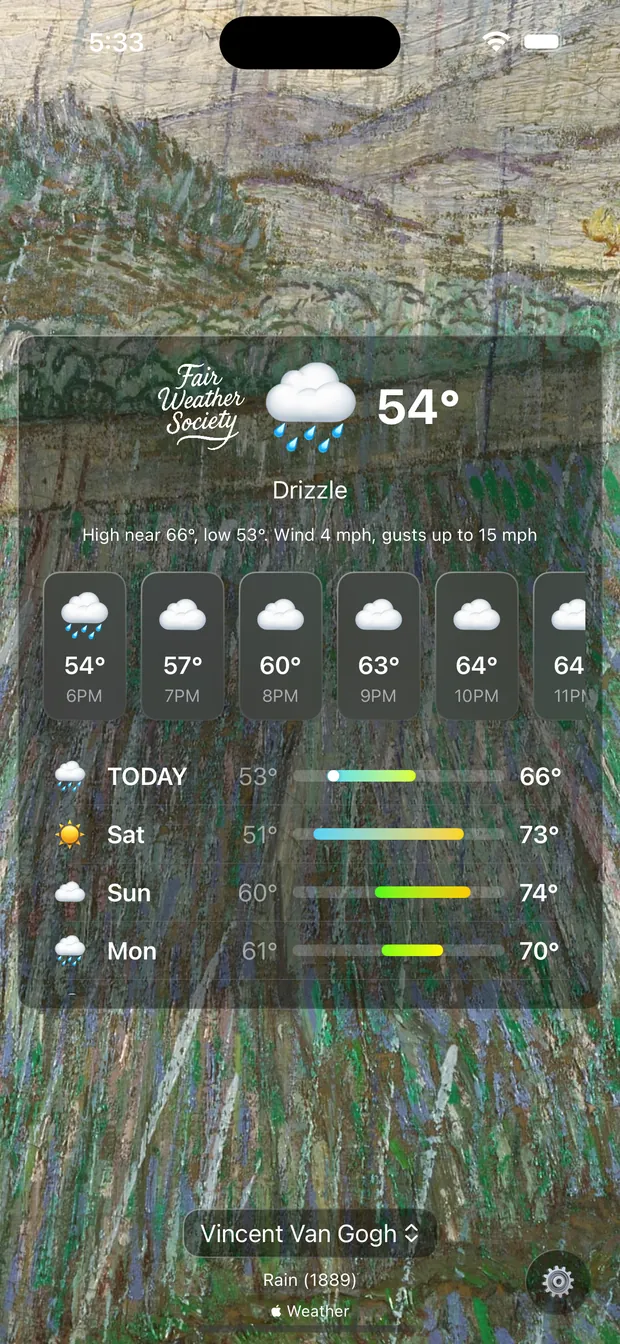
Van Gogh, Rain, 1889 — a wheat field behind a wall of diagonal strokes. The forecast panel sits over it in glass, and the artist and title stay at the foot of the screen.
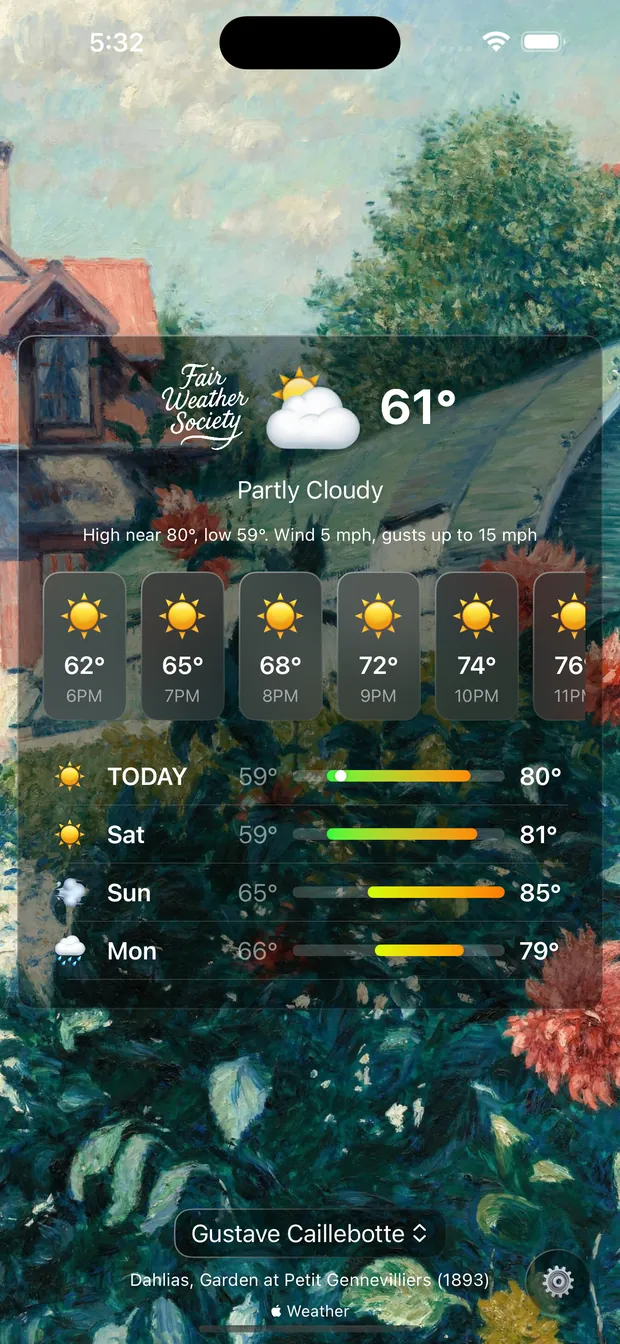
Caillebotte, Dahlias, Garden at Petit Gennevilliers, 1893. Warm, planted, unhurried — a whole afternoon held in one frame, which is rather more than the number 61 can tell you.
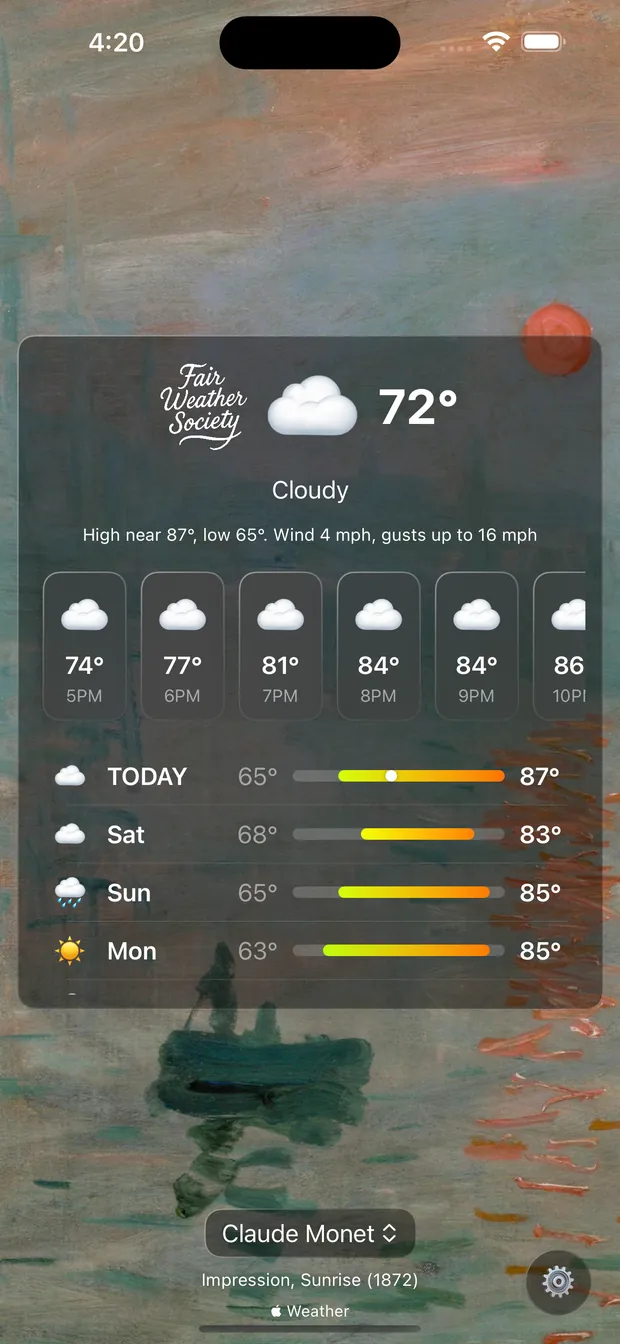
Monet, Impression, Sunrise, 1872 — the painting that accidentally named Impressionism, doing what it has always done best: weather with the edges left off.
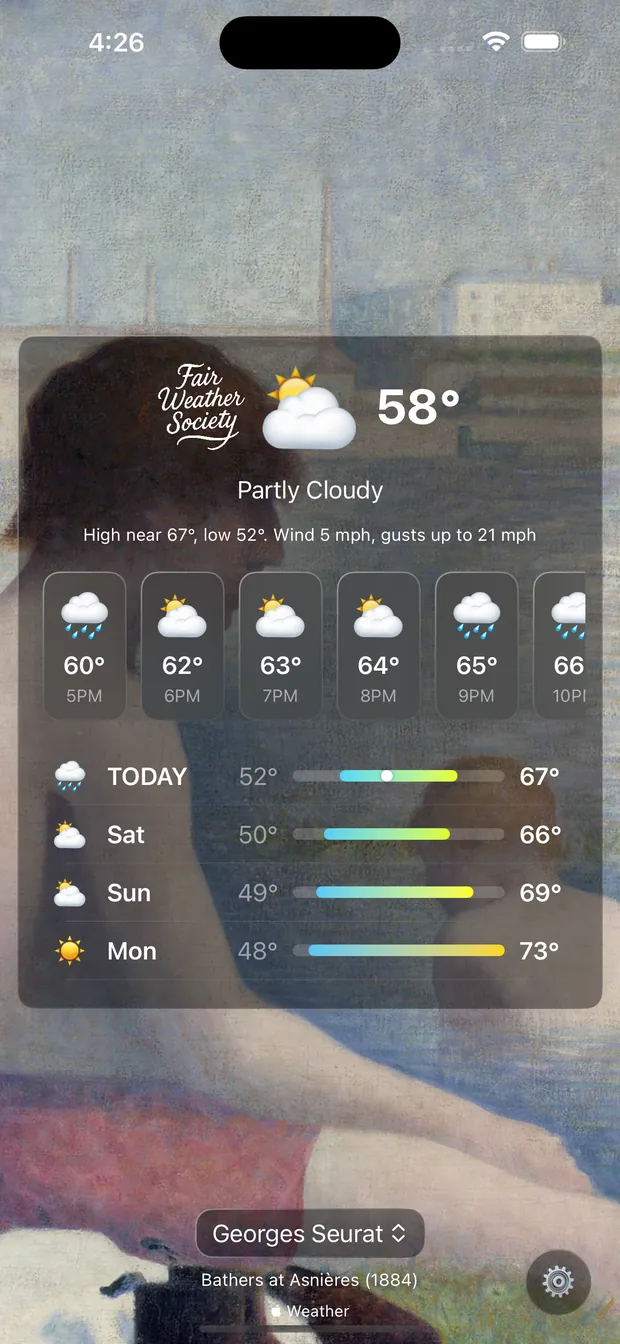
Seurat, Bathers at Asnières, 1884. Cool light, still water, nobody in a hurry. Tap the artist’s name to stay in one painter’s world all day.
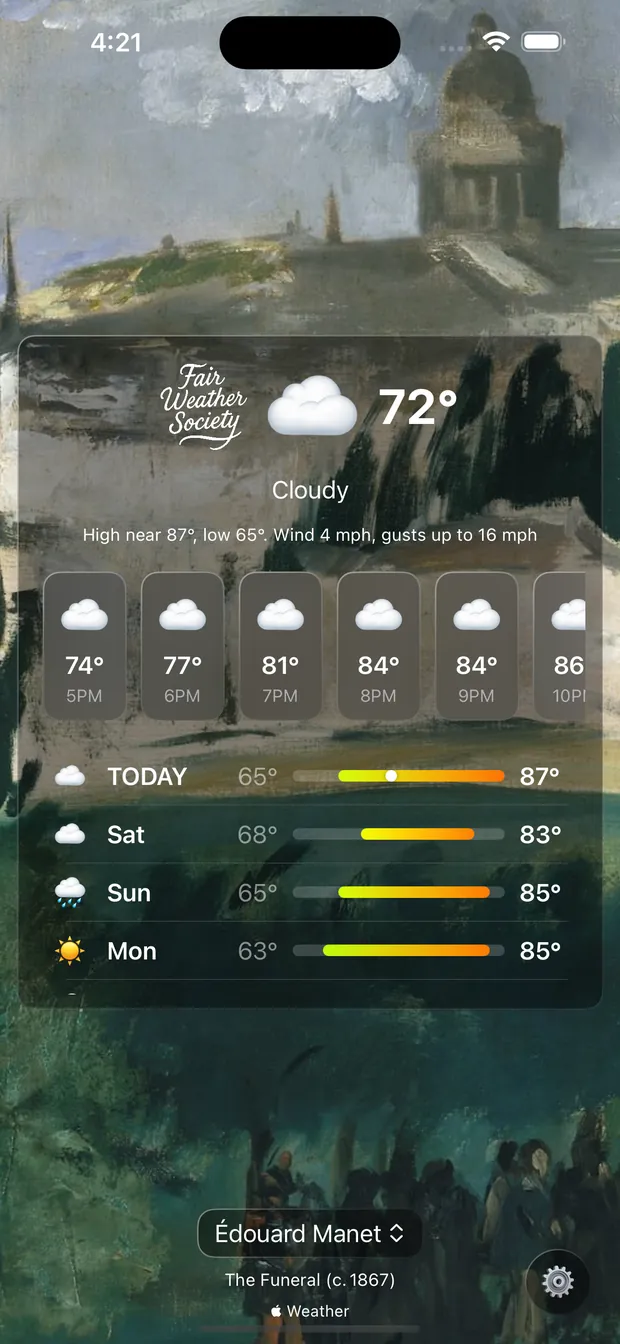
Manet, The Funeral, around 1867. The same reading as the Monet beside it, answered in an entirely different mood. That is the whole idea, in two screens.
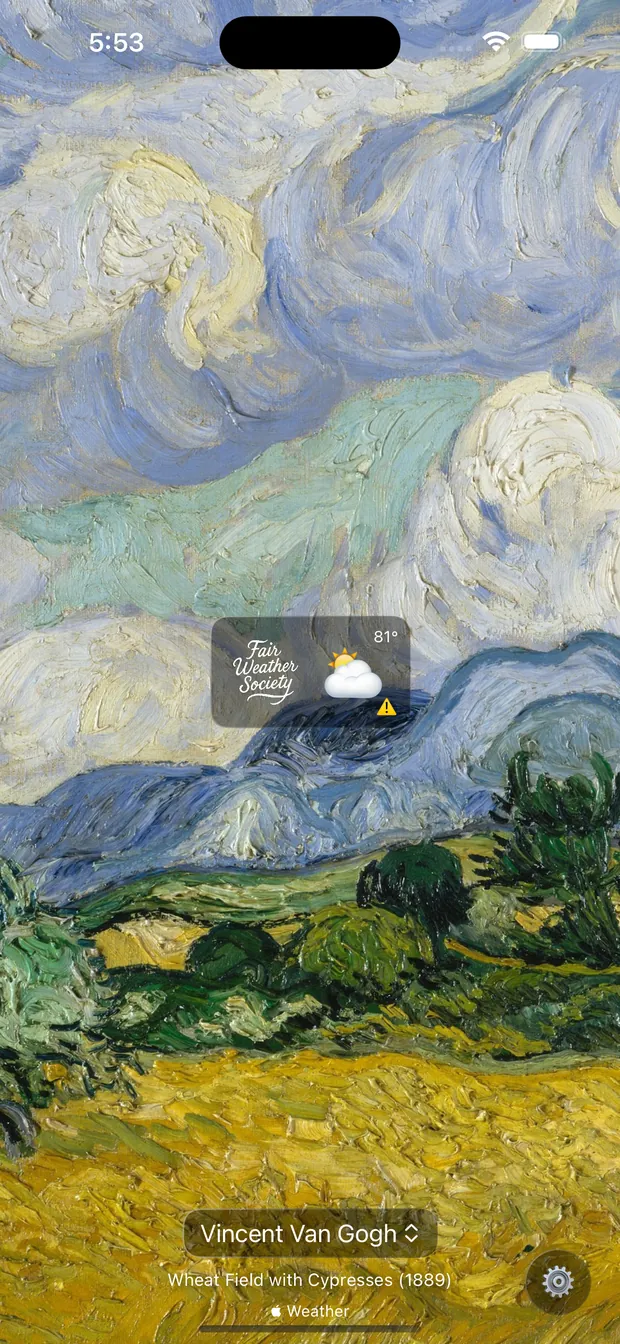
The forecast panel gets out of the way when you want it to, and the work fills the screen. Van Gogh, Wheat Field with Cypresses, 1889.
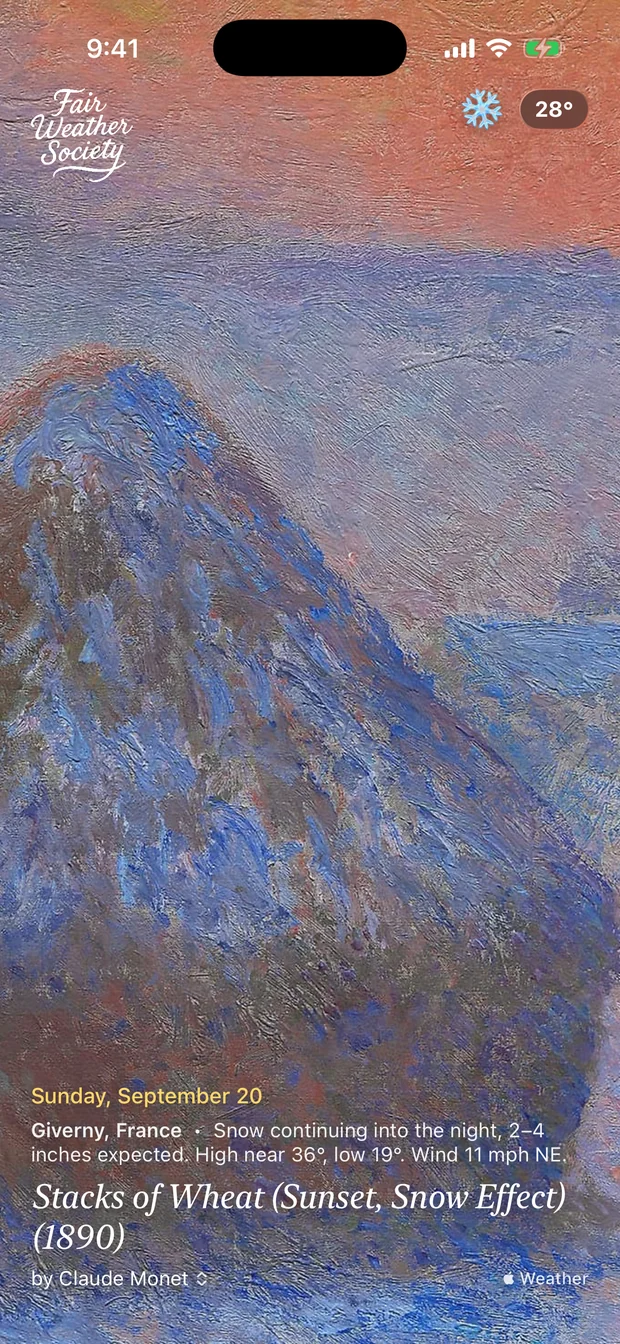
The postcard layout, set in Settings — date, place and the day’s reading along the foot, the temperature pinned opposite. Monet, Stacks of Wheat (Sunset, Snow Effect), 1890.
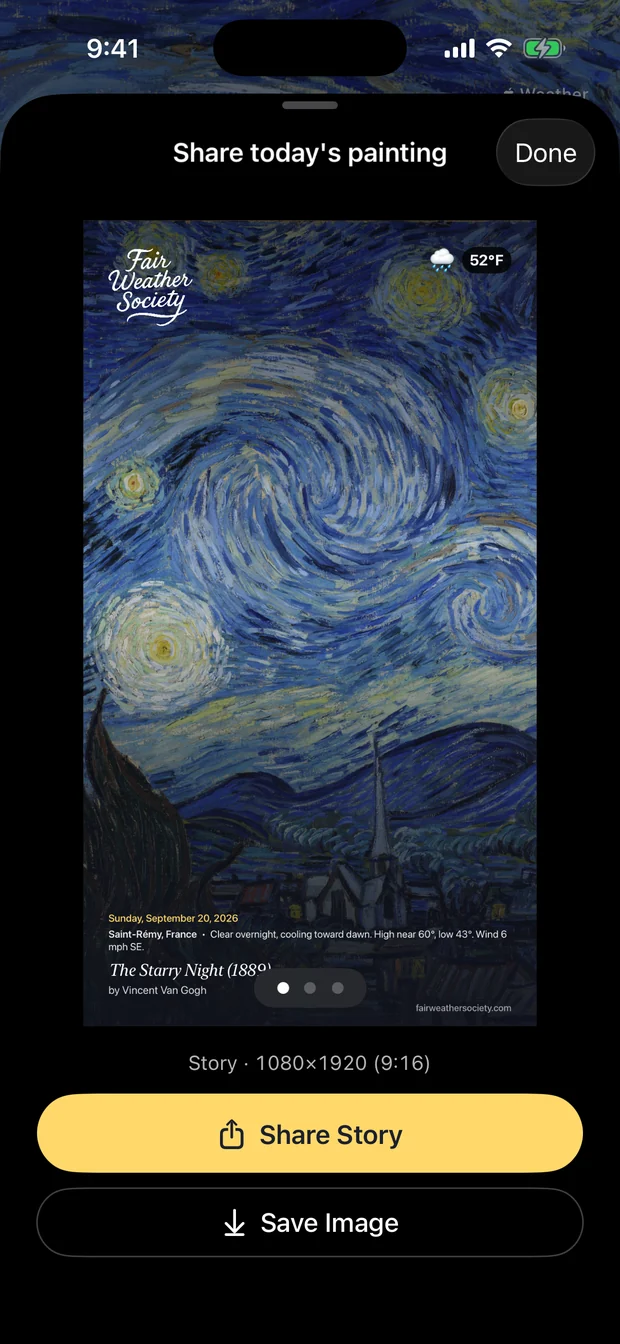
Swipe right and the day becomes an image — story, feed or wide, with the painting, the reading and the credit already set. Van Gogh, The Starry Night, 1889.
Scroll sideways →
04 — Features
Underneath the picture it is a real weather app — hourly, ten-day, and any severe weather in force where you are. The rest is what happens when you let painters and composers handle the presentation.
Every weather state has its own set of paintings, chosen for atmosphere rather than subject. Drizzle gets a different gallery from flat cloud, which gets a different one again from hard sun.
More than three hundred works, all public domain, each chosen for its emotional resonance rather than its subject, and all credited on screen with title and year. The roster reaches past the obvious names into Moreau, Waterhouse and others when the weather calls for them.
Tap the artist’s name to hold the day inside one body of work. Turn on Randomize and it moves between painters on its own; turn on Autoplay and it moves without you touching it at all.
Title, artist and year sit at the bottom of every screen, and the full list lives in Settings. You always know whose work you are looking at and when it was made.
Conditions, current temperature, the hours ahead, and ten days with their highs and lows on a gradient bar. It is all one glass panel over the painting — no second tab.
When there is an official alert in force where you are, the app shows it — safety, kept alongside the serenity of everything else. It appears when you open the app; it is not a push notification, so keep your phone’s own emergency alerts on for anything urgent.
The app asks for location because that is the input — it needs to know where you are to know what the sky is doing. It is used to fetch the forecast, and not kept for anything else.
Brahms, Debussy, Vivaldi, Tchaikovsky and Smetana, scoring the weather. It is off until you turn it on in Settings, and it yields to the silent switch and to anything else already playing.
Swipe right for the share sheet and export today as a story at 9:16, a feed post at 4:5, or a wide image at 16:9 — or just save it to Photos and use it as a wallpaper.
05 — What it costs
The whole app is free: every painting, every artist, the full forecast and the music. It is paid for by advertising, and the ads are the only thing a subscription changes.
No feature is locked behind the subscription. Nothing is held back to make the free version worse.
$0 to start
Free download · optional subscription
The subscription renews automatically through your Apple Account unless turned off, and is managed in your App Store settings or from Settings inside the app. Full terms are on fairweathersociety.com.
06 — FAQ
The live conditions at your location choose the set, and the app picks from that set. Rain draws from paintings of rain, flat cloud from paintings of flat cloud. It is matched to the atmosphere of the work rather than to the month or the temperature alone.
It is the input. Without it there is no forecast, and without a forecast there is no painting. It is used to fetch weather for where you are and is not kept for anything else — the detail is in the privacy policy.
You can change or revoke it any time in iOS Settings → Privacy & Security → Location Services.
Yes. Tap the artist’s name at the bottom of the screen to move between painters, and tap the artwork itself to move through the paintings available for the current conditions. Turn on Randomize in Settings if you would rather it surprised you, and Autoplay if you would rather it did the tapping.
Swipe right anywhere on the artwork to open the share sheet. Pick Story (9:16), Feed (4:5) or Wide (16:9), then share it or save the image to Photos.
Swipe left on the painting. Autoplay, Randomize, background music, subscription management and the full artwork attributions are all in there.
There is — Brahms, Debussy, Vivaldi, Tchaikovsky and Smetana — and it is off until you switch it on in Settings. It respects your silent switch, and anything already playing on your device takes priority.
Subscribe from inside the app. It is an auto-renewing subscription through your Apple Account, it removes advertising immediately, and it is managed or canceled in your App Store settings or from Settings in the app.
Nothing else changes — every painting, artist and feature is already in the free version.
A few do. They are public-domain fine art — Klimt, Waterhouse and similar — and the nudity is the ordinary classical kind you would walk past in any major museum. It is not sexualized, and there is no explicit content in the app.
The App Store rating is 13+, which reflects that.
iPhone and iPad, running iOS or iPadOS 18.0 or later.
07 — Privacy
The short version, and then where to read the long one.
Your location, to fetch the forecast for where you are. Receipt and subscription status, to know whether to show ads. Non-identifiable performance data from Apple. That is the list.
The free experience is ad-supported through third-party partners, and those partners may use device identifiers or location to personalize what they show. You can limit that in Settings → Privacy & Security → Tracking, or remove advertising altogether with the subscription.
Subscriptions are handled by Apple through StoreKit. HoneyWired never sees or stores your payment details.
The complete privacy policy — including GDPR and UK GDPR rights, the data controller, and how to make a request — is the canonical one at fairweathersociety.com/privacy. That is the version the App Store points to, and the one that governs.
The artworks are in the public domain. The pairing, the app and its design are the property of HoneyWired LLC.
Weather is weather: forecasts and alerts can be wrong or late, and HoneyWired LLC is not liable for what follows from that. Treat official sources as authoritative in an emergency.
The full Terms of Use and End User License Agreement live at fairweathersociety.com/terms, alongside the Apple Standard EULA.
Questions, bugs, or a painting you think belongs in there?
Email support@fairweathersociety.com, or read the help pages at fairweathersociety.com/support.
It helps to mention your device, your iOS version, and what the weather was doing at the time.