06 — FAQ
Frequently asked questions
What does it cost?
One purchase — $0.99 in the US, the local equivalent elsewhere. There are no in-app purchases, no subscription, and no ads. Every feature listed on this page is in the app the moment you download it.
Which devices does it run on?
iPhone and iPad, running iOS or iPadOS 26.2 or later. One purchase covers both. There is no Mac or Apple Vision version — this is a phone and tablet app, built as one.
How does cutout mode work?
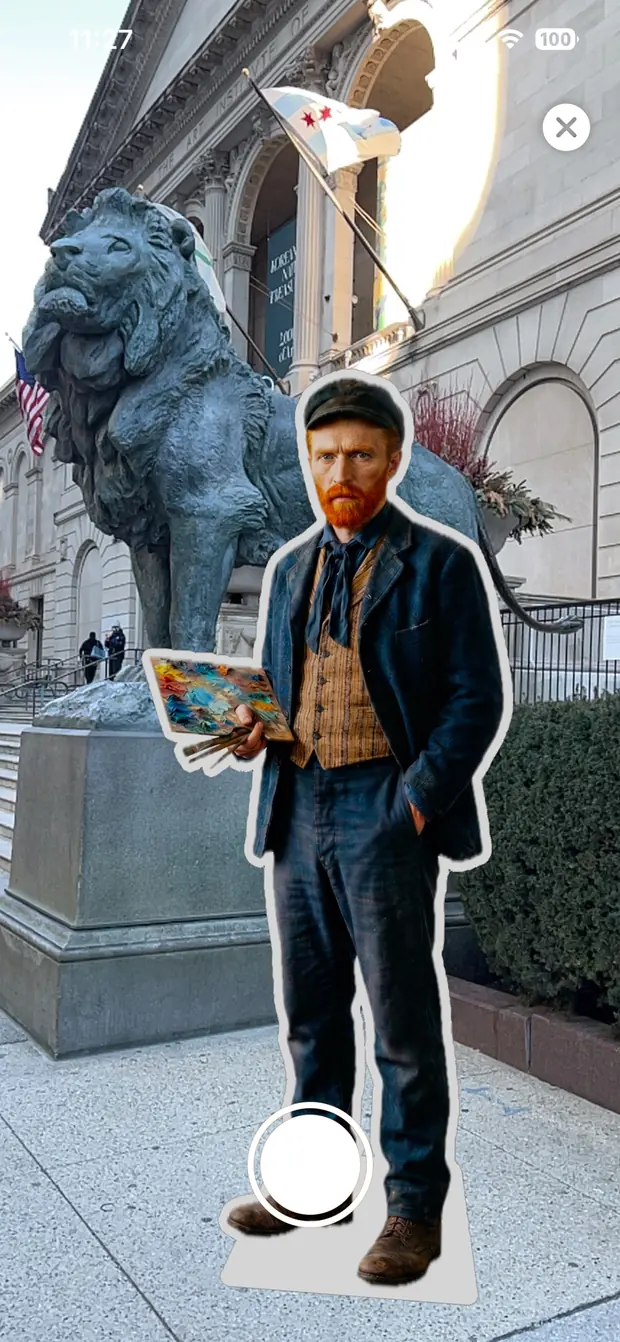
It uses Apple’s on-device Vision framework to find the person, pet, or object in your photo and separate it from the background. The app then adds a border in the color and width you choose, draws a dotted cut line around the outside, and calculates a flat bottom edge so the finished piece can stand up.
All of it happens on the device. The photo is not uploaded anywhere, and there is nowhere for it to be uploaded to.
Will it cut off someone’s ear?
No. The cutout is faithful to the whole head contour — jaw, sideburns, both ears. Vincent would be relieved.
Can I see how big it will be before I print it?
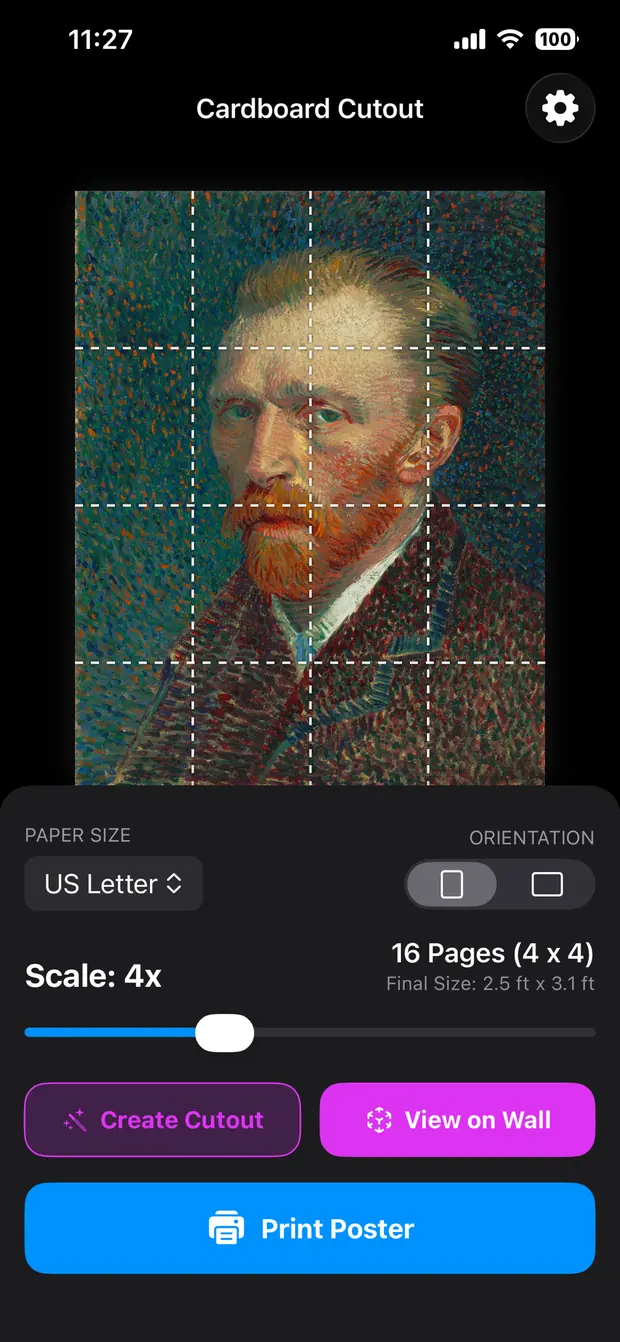
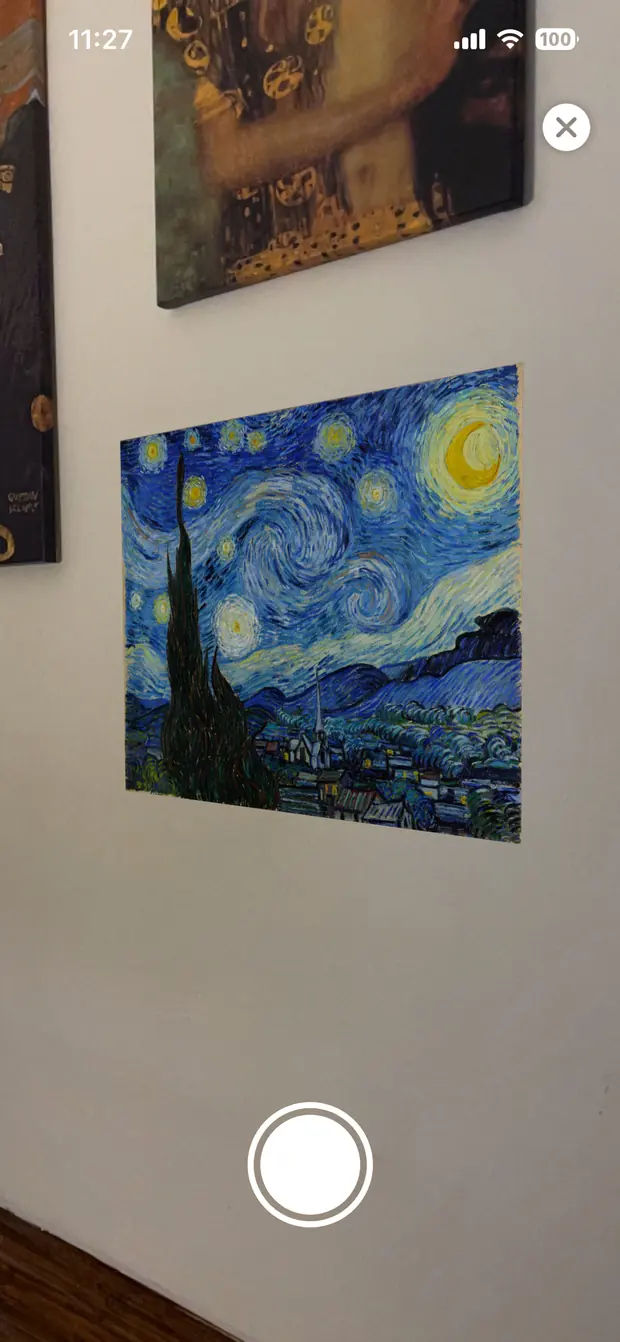
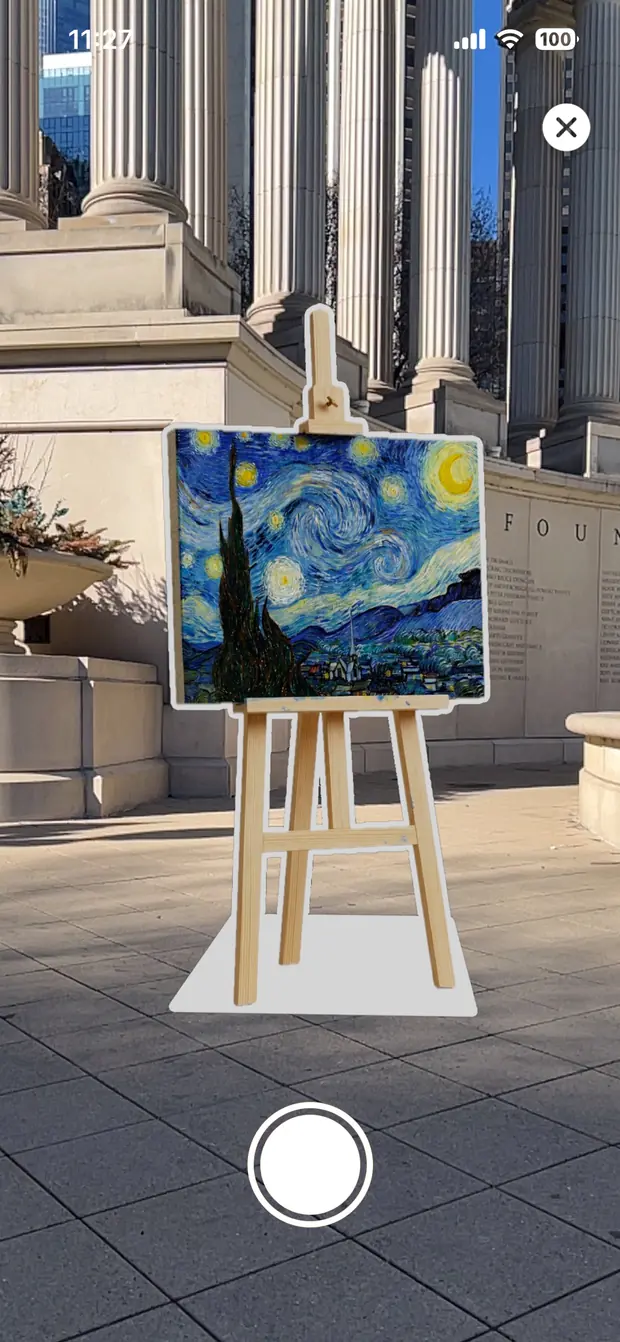
Two ways. The app shows the finished dimensions in feet and inches next to the scale slider, updating as you drag. And tapping View in Room puts the poster or cutout into your actual space through the camera, at true 1:1 — a cutout stands on the floor, a poster snaps flat against the wall.
You can take a photo of it there, or hold the shutter to record a video.
What paper should I use?
Ordinary office paper is fine for a wall poster, though card stock holds up better and won’t show the tape through from behind.
For a free-standing cutout, card stock is the minimum, and paper on its own will not stand up no matter how good the base is. Glue the assembled piece to foam core board or corrugated cardboard, cut around the line, and tape a triangle of the same board to the back as a kickstand.
How do I assemble it?
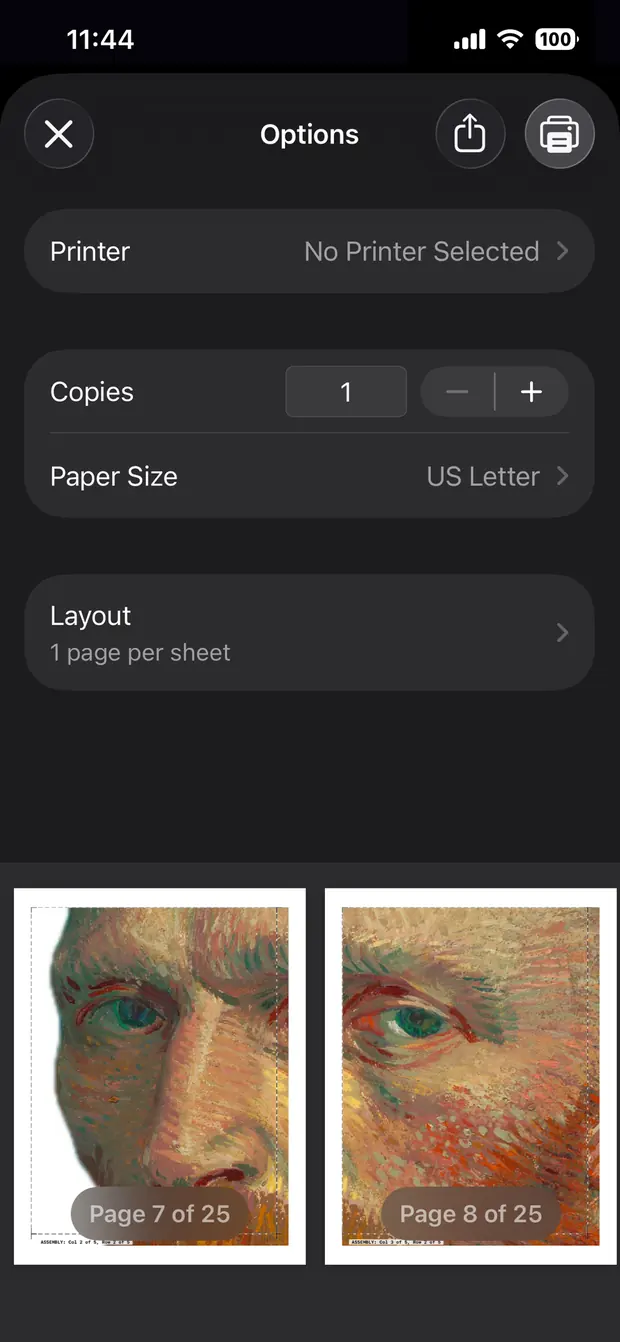
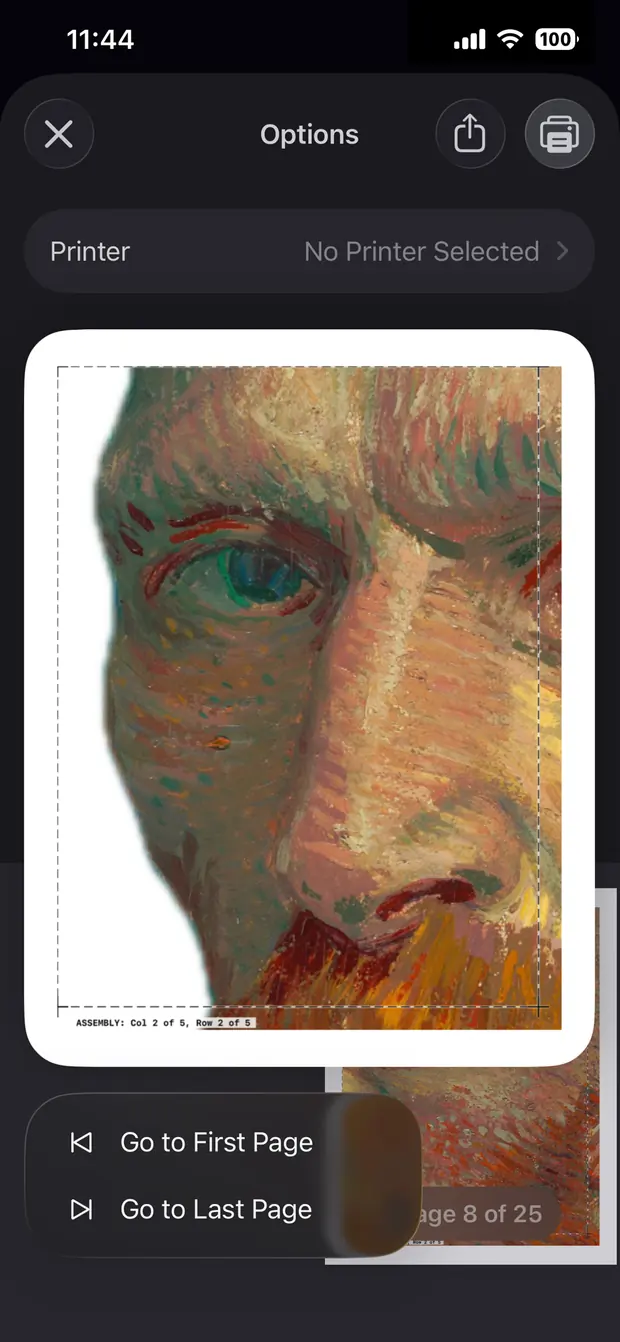
Every page prints with a dotted cut line and an overlap area beyond it. Trim along the dotted line with scissors or a craft knife, apply tape or glue to the overlap, and lay the next sheet on top.
The overlap on each page carries a small printed label — ASSEMBLY: Col 2 of 5, Row 2 of 5 — so a dropped stack is an annoyance rather than a disaster. Once the next sheet is down, the label is underneath it.
Do I need a special printer?
No. Any inkjet or laser printer that supports AirPrint will print directly from the phone. If yours doesn’t, save the tiled document as a PDF through the iOS print dialog and print it from a computer, or take it to a copy shop.
Borderless photo printers get one extra option: a margin-less toggle that removes the white edge from every sheet.
How big can it actually go?
Ten pages wide, with the height following the aspect ratio of your image. On US Letter that’s roughly seven feet across; on A4 or Tabloid, more. A full-height standee of an adult is usually four or five sheets wide and five or six tall — somewhere between twenty and thirty pages.
Will this drain my ink?
A large poster at full coverage uses a lot, yes. That’s what Ink Saver mode is for: it applies a CMYK halftone dot screen across the image, which keeps the colors and the subject readable while putting substantially less ink on the paper. Up close it looks like newsprint. From across a room, which is where a life-size cutout is looked at, it looks like the photo.
My photo is small. Is it going to look terrible?
Less terrible than you’d expect. The app applies high-quality resampling and sharpening as it tiles, so an image that’s short of pixels goes gently soft rather than turning into visible squares. A phone photo taken in decent light will make a convincing life-size cutout; a screenshot of a screenshot will not.
Is it archival, museum-grade quality?
It is office paper and tape. It is not going to hang in the Rijksmuseum in a hundred years — it is going to be very funny at a birthday party on Friday, and that is a different brief.
If you want it to last longer than the party, card stock mounted on foam core holds up for years, and a poster kept out of direct sun will outlast your interest in it.
Can I print actual classical art?
Yes, and the big collections make it easy — a great many museums publish their out-of-copyright works at full resolution, free. Those files arrive enormous. The self-portrait in this app’s icon can be downloaded at over 6,000 pixels on its short edge, which is more hallway than most people have.
One honest note on the arithmetic: the ninety-nine cents buys the app. The ink is between you and your printer, and a twenty-five-sheet mural is not a ninety-nine-cent afternoon. That is exactly what Ink Saver mode is for.
Is any of this sent to a server?
No. Background removal, face detection, tiling, scaling and halftoning all run locally on your device. HoneyWired runs no server for this app, holds no account for you, and has no analytics or advertising code in it.
 Cardboard Cutout